10 Powerful Features of AI Research Assistant That Will Boost Your Productivity
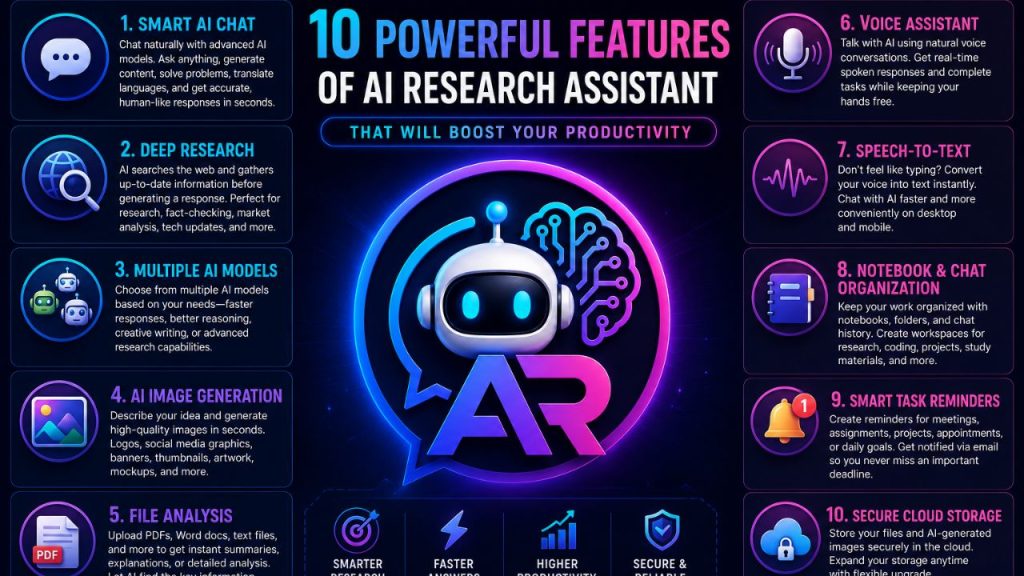
Artificial Intelligence has changed the way people work, study, research, and create content. Instead of using multiple tools for different tasks, AI Research Assistant brings everything together in one intelligent platform.
Whether you’re a student, developer, writer, business owner, or researcher, these powerful features can help you save time and work more efficiently.
1. Smart AI Chat
AI Research Assistant allows you to chat naturally with advanced AI models. You can ask questions, write content, generate ideas, solve coding problems, summarize documents, translate languages, and much more.
The AI understands context and provides accurate, human-like responses in seconds.
2. Deep Research
Need the latest information from the internet?
Deep Research enables AI to search the web and gather up-to-date information before generating a response. This makes it ideal for research, fact-checking, market analysis, technology updates, and current events.
3. Multiple AI Models
Different tasks require different AI capabilities.
AI Research Assistant lets users choose from multiple AI models depending on whether they need faster responses, better reasoning, creative writing, or advanced research capabilities.
4. AI Image Generation
Simply describe your idea in words, and AI Research Assistant can generate high-quality images within seconds.
Create:
- Logos
- Social media graphics
- Banners
- Thumbnails
- Digital artwork
- Product mockups
- Marketing visuals
without needing professional design skills.
5. File Analysis
Upload PDFs, Word documents, text files, and other supported formats to receive instant summaries, explanations, or detailed analysis.
Instead of reading lengthy documents manually, let AI identify the most important information for you.
6. Voice Assistant
Talk with AI using natural voice conversations.
The real-time Voice Assistant provides spoken responses, making it easier to brainstorm ideas, ask questions, or complete tasks while keeping your hands free.
7. Speech-to-Text
Don’t feel like typing?
Use Speech-to-Text to convert your voice into text instantly. This feature makes chatting with AI faster and more convenient on both desktop and mobile devices.
8. Notebook & Chat Organization
Keep your work organized with built-in notebooks, folders, and chat history.
Create separate workspaces for:
- Research
- Coding
- Personal notes
- Business projects
- Study materials
This helps you quickly find previous conversations and important information.
9. Smart Task Reminders
Never miss an important deadline again.
Create reminders for meetings, assignments, projects, appointments, or daily goals. AI Research Assistant can notify you through email, helping you stay organized and productive.
10. Secure Cloud Storage
Every account includes personal cloud storage where you can safely keep uploaded files and AI-generated images.
Need more space? Additional storage packages are available, allowing you to expand your storage whenever required.
Why Choose AI Research Assistant?
Unlike traditional AI tools that focus on only one feature, AI Research Assistant combines everything into a single platform.
With AI chat, live research, image generation, voice conversations, file analysis, notebooks, task reminders, and cloud storage working together, users can complete more work without switching between different applications.
Whether you’re learning, creating, researching, or managing projects, AI Research Assistant provides the tools you need in one powerful workspace.
Final Thoughts
Productivity isn’t about working harder—it’s about working smarter.
AI Research Assistant combines intelligent AI technology with practical productivity tools, making it easier to research, create, organize, and accomplish more every day. Whether you’re a beginner or a professional, these powerful features can help you save time and unlock your full potential.